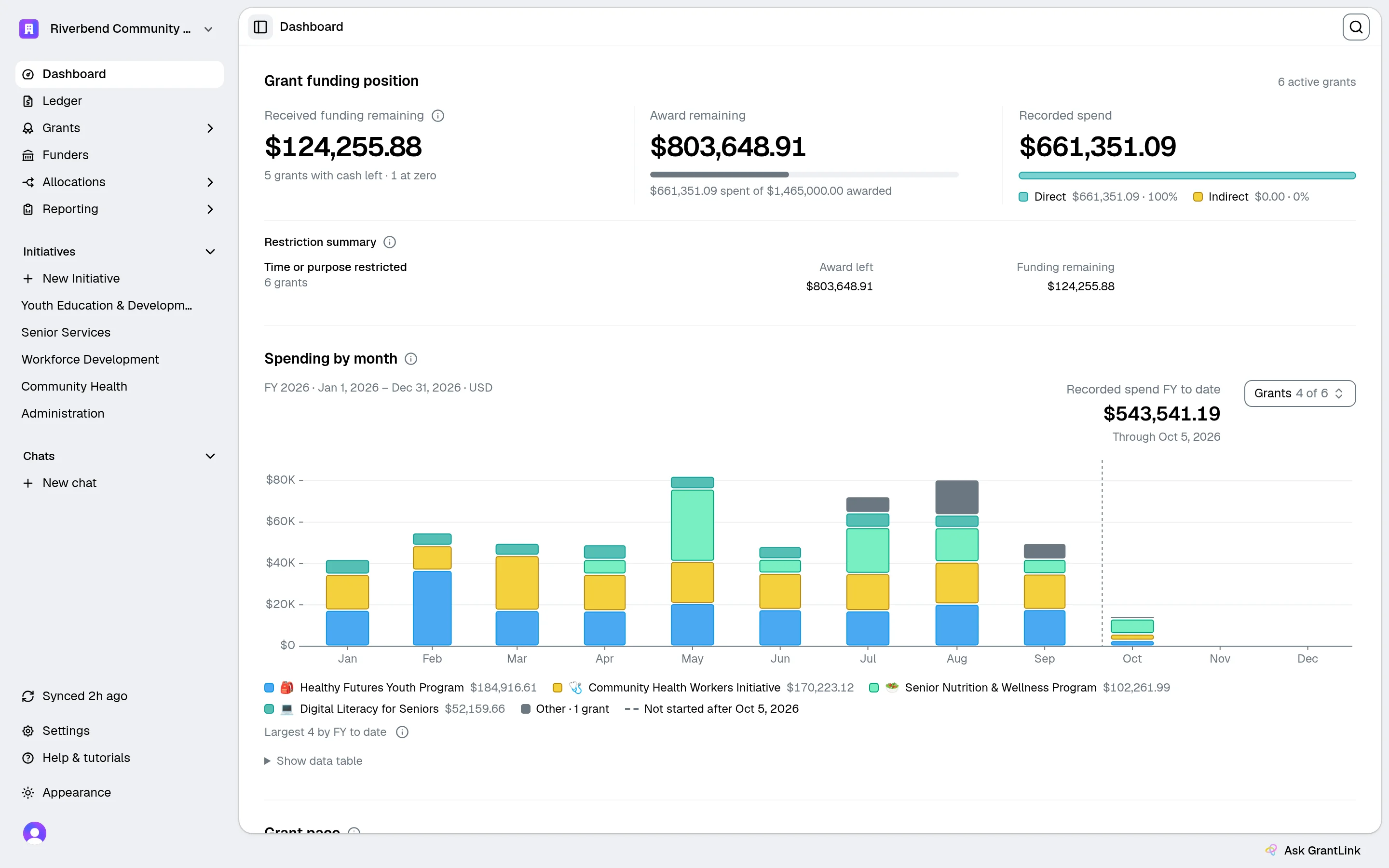
Everything your grant spreadsheets do, built on QuickBooks.

The grant management layer for QuickBooks Online — budgets, restricted funds, and funder-ready reports.

Book a 20-min fit check

Read-only by default · Works with your existing QuickBooks setup

Retire the grant spreadsheets

Budgets, actuals & mapping stay live from QBO

Restricted funds stay in view

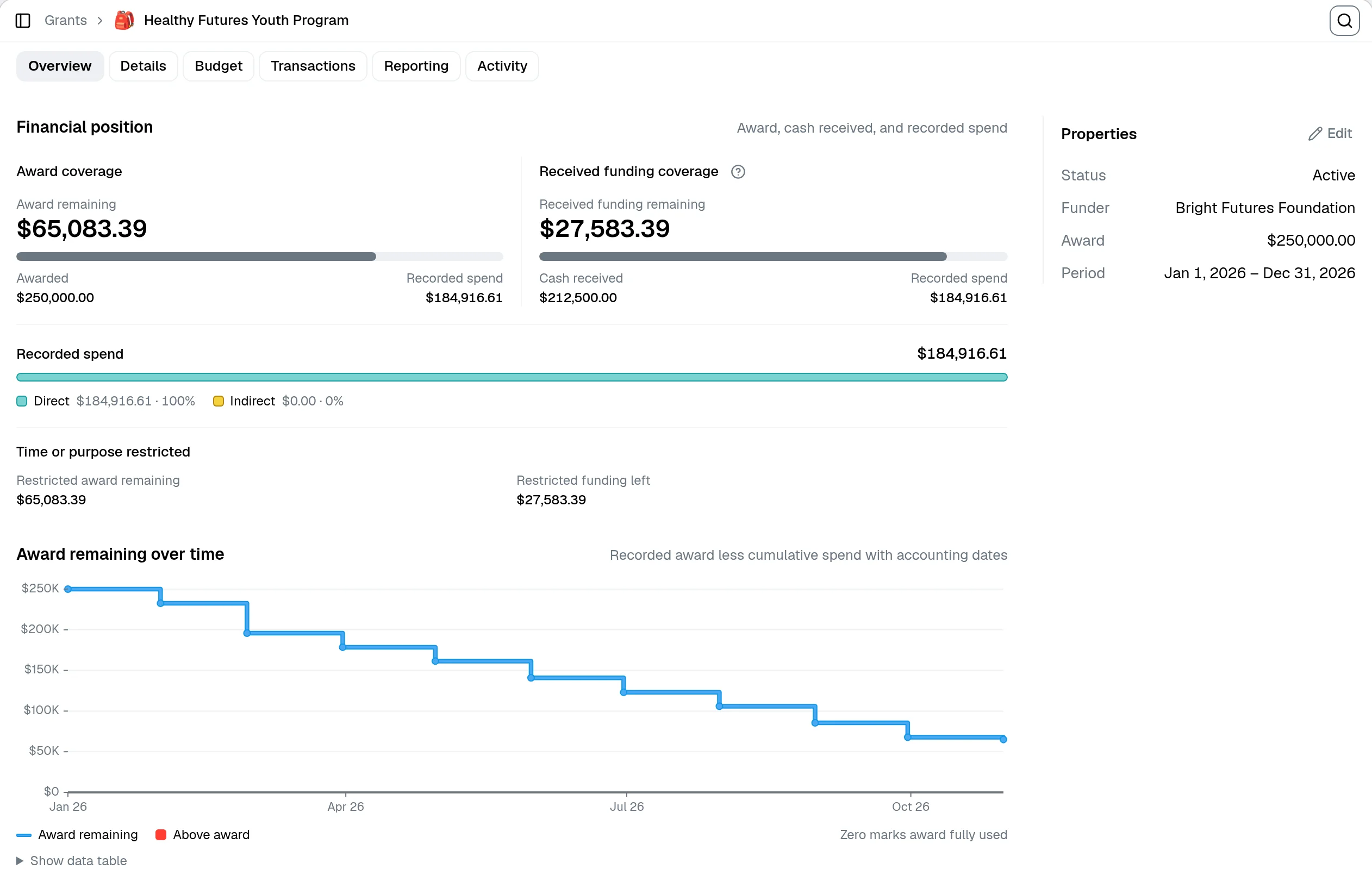
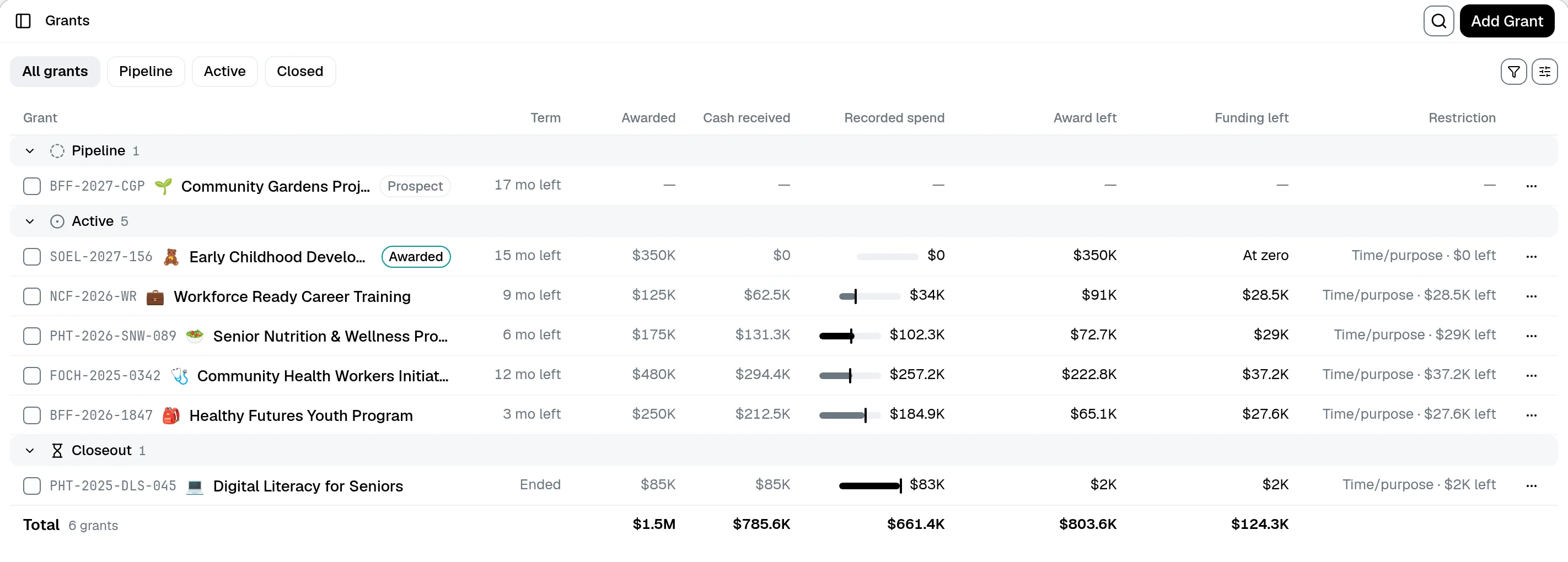
Award, spend, and balance left on every fund

Catch overspend before closeout

Pacing flags under- and over-spend before the period ends

The real cost

The grant work isn't in the spreadsheet. It's in the month you spend rebuilding it.

Close the books, export from QBO, recategorize, rebuild the funder workbook, send the PDF, then watch one backdated transaction undo three months of allocations. GrantLink takes that work off your plate.

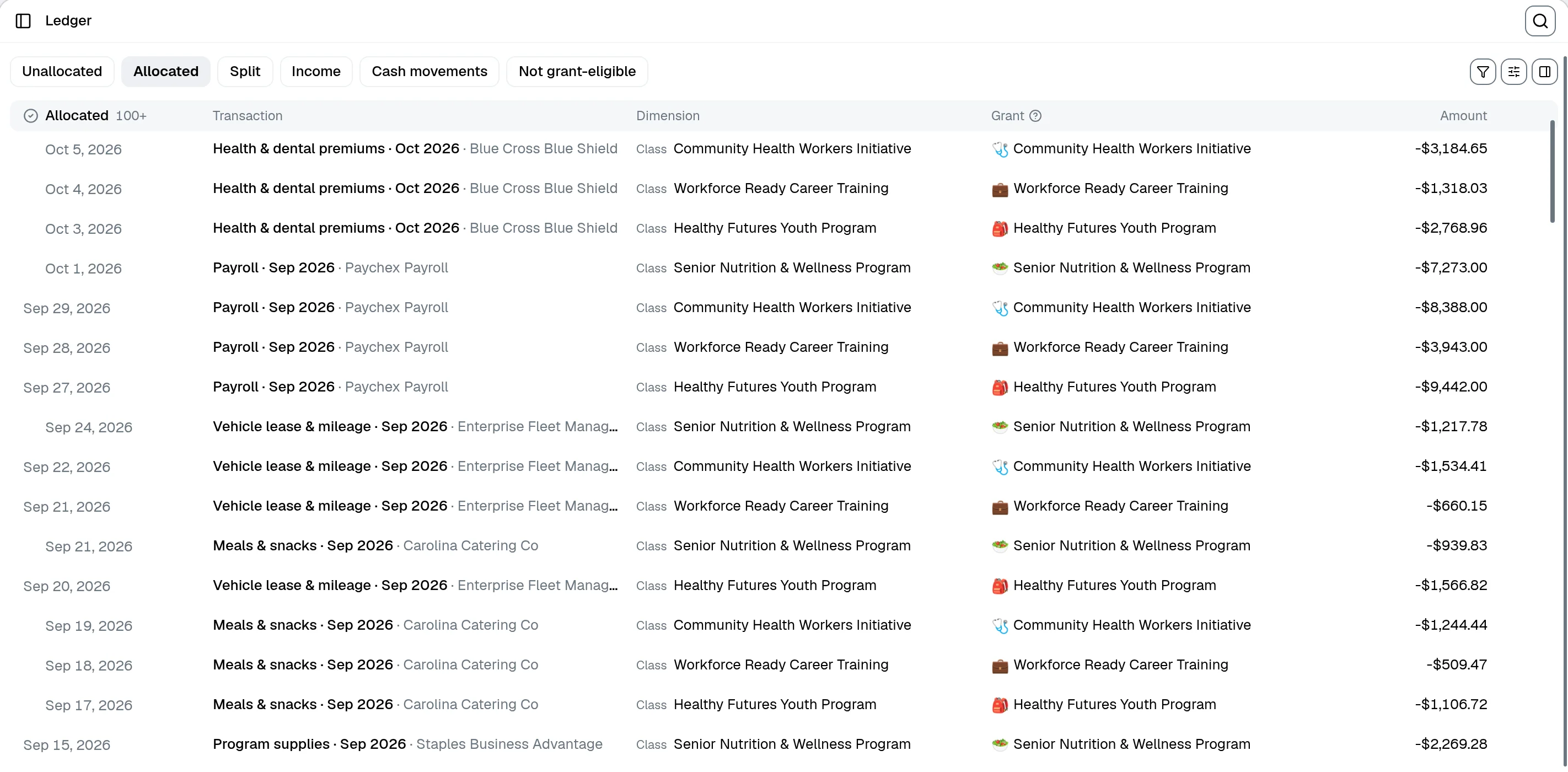
Auto-classify every grant expense

Set rules once and recurring QuickBooks transactions classify themselves to the right grant, budget line, and program, even one bill split across three grants.

Track restricted funds correctly

Tag each grant as unrestricted, temporarily, or permanently restricted. The restriction follows the money through allocations, reports, and exports.

See award vs. received in one view

Log every draw against the award and let GrantLink match QBO deposits back to grants. You always know what's been received and what's still out.

From the field

The accountants who do this work, use it on real clients.

GrantLink handles the grant compliance and restriction tracking that QuickBooks simply wasn't designed for. It's saved me from building manual workarounds for every client, and the reporting that comes out the other end is something I can actually hand to a funder.
GP

Geoff Pavey

Founder, 501c Bookkeeping

  • Nonprofit-only bookkeeping firm
  • Verified GrantLink customer
Budget vs actual

The master grant tracker, live from QuickBooks.

Map each budget line to its QuickBooks account once. Every transaction your bookkeeper posts in QuickBooks lands in the right grant, month, and line on its own, so budget vs actual across the whole portfolio is always current, never rebuilt by hand.

Grants
ListBudget vs actual
GrantJan 2026Feb 2026Mar 2026Apr 2026Total
Housing Stability Fund$34,555$38,060$37,069$13,836$172,222
Personnel6000 · Salaries$28,140$31,200$30,410$10,980$140,730
Participant aid6200 · Direct assistance$6,415$6,860$6,659$2,856$31,492
Community Action Grant$26,625$33,947$33,947$121,895
Early Childhood Fund$8,155$9,350$191,447
Nutrition Programcloseout$388$8,079$46,758
Total$61,568$80,162$79,095$33,166$295,917
SpentBudgetCumulative
Spent $295,917Remaining $471,559Excel

Tied to your chart of accounts

Each budget line maps to a QuickBooks GL account. Posted spend auto-lands on the right line, with no manual categorizing.

Every grant, every month

Spent, Budget, or Cumulative, by month or by fund. Overspend flags itself in red before the funder ever sees it.

Export-ready in one click

Hand the whole portfolio to the board or a funder as Excel, straight from the live grid.

What's different about GrantLink

Three jobs nothing else does this well

Everything runs on the same QuickBooks-synced data, so the budget, the pace, and the funder report all agree.

Funder templates

Upload the funder's Excel template. We fill it in on the grant's reporting cadence.

Attach the actual workbook your funder asks for. Formatting, formulas, and merged cells stay intact. Each cycle, GrantLink drops grant data from QuickBooks into the right cells and hands you back a finished file.

  • A template library per funder, in each funder's exact format
  • Regenerate monthly against fresh QBO data, same template
  • Excel or PDF output, ready to send
Funder-Q2-Template.xlsx
Q2 Grant Expenditure Report
LineBudgetSpentVariance
Personnel=B-C
Supplies=B-C
Travel=B-C
Empty template
GrantLink fills
Funder-Q2-Template.xlsxGenerated
Q2 Grant Expenditure Report: Community Food Access
LineBudgetSpentVariance
Personnel$50,000$32,400$17,600
Supplies$24,000$18,750$5,250
Travel$8,000$3,120$4,880
Pulled from QuickBooks · May 14, 2026
Pace monitor

Know whether each grant is pacing correctly before the month closes.

Pace monitor compares expected spend against live QuickBooks allocations, then gives the accountant a concrete next action: catch up, slow down, review closeout risk, or finish setup before trusting the numbers.

  • Expected spend, actual, variance, and required monthly pace in one view
  • Budget-line action focus: which line needs catch-up or closeout review
  • Optional AI review without letting AI touch the deterministic calculations
Live from GrantLink

Pace monitor on a grant detail page

Behind pace
GrantLink Pace monitor showing expected spend, variance, required monthly pace, and action focus
AI reports

AI handles the presentation. Your accountant keeps the numbers.

Generate branded, password-protected funder and board reports from grant data your team has already reviewed. Mix the financials with impact docs you upload. The AI never writes back to QuickBooks, and it doesn't invent numbers.

  • Scoped to grant, program, funder, or org-wide, and you set it every time
  • Your logo, your colors. Share by link, lock with a password
  • Impact narrative woven in from the program docs you upload
See a real funder report
AI Report Builder interface

And everything else you'd expect

AI grant assistant
Indirect cost recovery
Reimbursement claims
Match & cost-share evidence
Full audit trail
Reporting-cycle reminders
QuickBooks Online
ConnectedRead-only
Last sync2 min ago
WritebackOff
Silver Intuit App Partner badge

Silver Intuit App Partner
Listed on the QuickBooks App Store

Your books stay in QuickBooks. GrantLink reads from them.

Read-only by default. You decide what GrantLink is allowed to write back, if anything at all. Your accountant keeps doing the books in QuickBooks; your team gets the grant tools.

Works with the QuickBooks setup you already have: Customers, sub-customers, Projects, Classes, Locations, and transaction custom fields. No re-tagging, no migration. A single grant can span more than one of these when it has to.

Read-only mode

Import and report without GrantLink ever touching your books

Official Intuit OAuth

We never see your QuickBooks credentials

Encrypted tokens at rest

Revoke access any time from either side

Incremental sync

Webhooks and scheduled pulls keep data current without re-imports

You choose how much access GrantLink gets

Read-only

Import & report, recommended default

Selected writebacks

Pick exactly which changes are allowed

Full writeback

Turn on supported automation intentionally

How it works

From QuickBooks to a filled funder report

No migration, no re-tagging. Connect in read-only mode and you can be generating reports the same afternoon.

1

Connect QuickBooks

Read-only OAuth in a couple of clicks. Your existing Customers, Classes, and Projects map straight in, with no re-tagging and no migration.

2

GrantLink keeps it organized

Every synced transaction flows into the right grant, budget line, and restriction. Allocations and pace stay current on their own.

3

Hand off the funder report

Your funder's exact template, filled from QuickBooks data and ready to send as Excel or PDF, the same afternoon.

Book a 20-min fit check

Prefer a guided tour? Book a fit check and we'll set it up on your actual QuickBooks file with you.

Who it's for

Built for the people who run nonprofit grant finance

Built for nonprofit finance teams

Finance managers, staff accountants, and bookkeepers who own grant reporting. Track restricted funds, budget vs actual, and funder reports on top of the QuickBooks file you already keep with no new ledger to learn and no spreadsheets to rebuild each month.

See what's included

Built for accounting firms

Firms and fractional finance teams serving multiple nonprofit clients. One login across every client's QuickBooks setup, unlimited team members, no seat-based pricing, and you can resell funder-ready reports as a service line.

See how firms use GrantLink
Early Bird: 50% Off Paid Plans Forever

Simple pricing for grant finance teams.

One subscription per organization, unlimited team members. Prices already include the 50% early-bird discount.

Starter

For a single nonprofit getting its grants in order.

$24.99/month

Only billed monthly

  • QuickBooks sync
  • Grant & fund management (5 max)
  • Funder management
  • Program management
  • Budget tracking
  • Expense allocations
  • AI assistant
  • Excel & CSV reports

Professional

Most popular

For growing nonprofits with active funder reporting.

$74.99/month

Only billed monthly

  • QuickBooks sync
  • Grant & fund management (25 max)
  • Funder management
  • Program management
  • Budget tracking
  • Expense allocations
  • AI assistant
  • Excel & CSV reports
  • Claims builder

Unlimited

For established nonprofits that want no limits.

$149.99/month

Only billed monthly

  • QuickBooks sync
  • Unlimited grants & funds
  • Funder management
  • Program management
  • Budget tracking
  • Expense allocations
  • AI assistant
  • Excel & CSV reports
  • Claims builder
Need help choosing? Book a 20-minute fit check.
Managing multiple nonprofit clients? Ask about firm pricing.

Keep QuickBooks. Drop the spreadsheets.

Start the free trial and connect in read-only mode, or book a 20-minute QuickBooks fit check on your own file first.

Book a 20-min fit check

Read-only by default · Cancel anytime