See what happens after QuickBooks syncs.
GrantLink adds grant budgets, restricted-fund visibility, allocation review, and funder reporting while QuickBooks Online stays your accounting source of truth.
14 days free · No card required · Read-only by defaultJust exploring? The demo uses fictional data. No signup or QuickBooks connection needed.
A strong fit when…
- QuickBooks Online will remain your accounting system
- Grant budgets or restricted funds live in side spreadsheets
- Shared costs need a reviewable allocation trail
- Funder reporting requires repeated exports and cleanup
The product view, from transaction to report
These screens come from the GrantLink demo and use synthetic data. They show the review path around QuickBooks—not a replacement for the books.
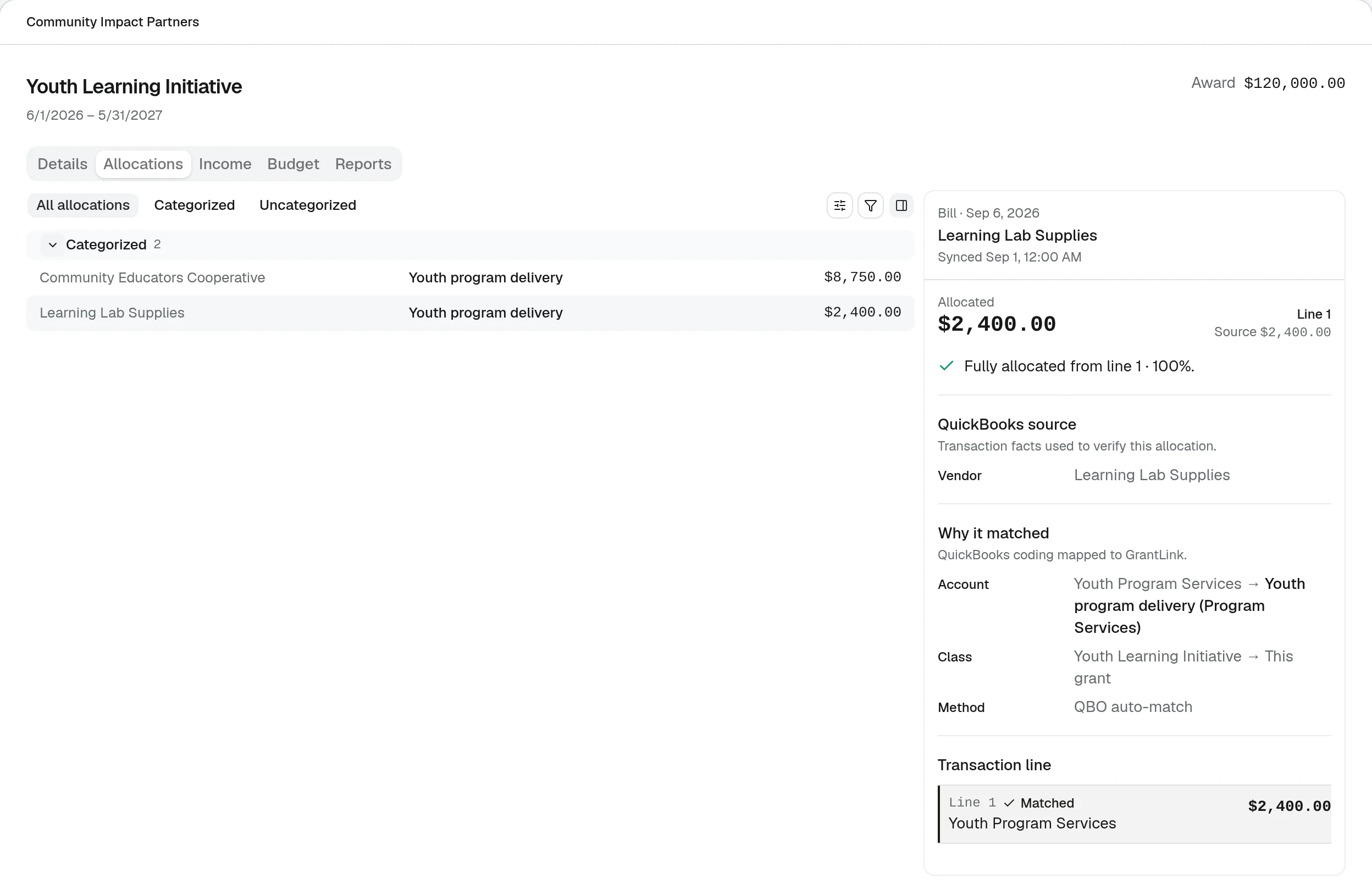
See why every expense landed on the grant
QuickBooks expenses coded to a grant's class or customer are allocated automatically. Each allocation shows its source line, the coding that matched, and how much of the transaction it covers.
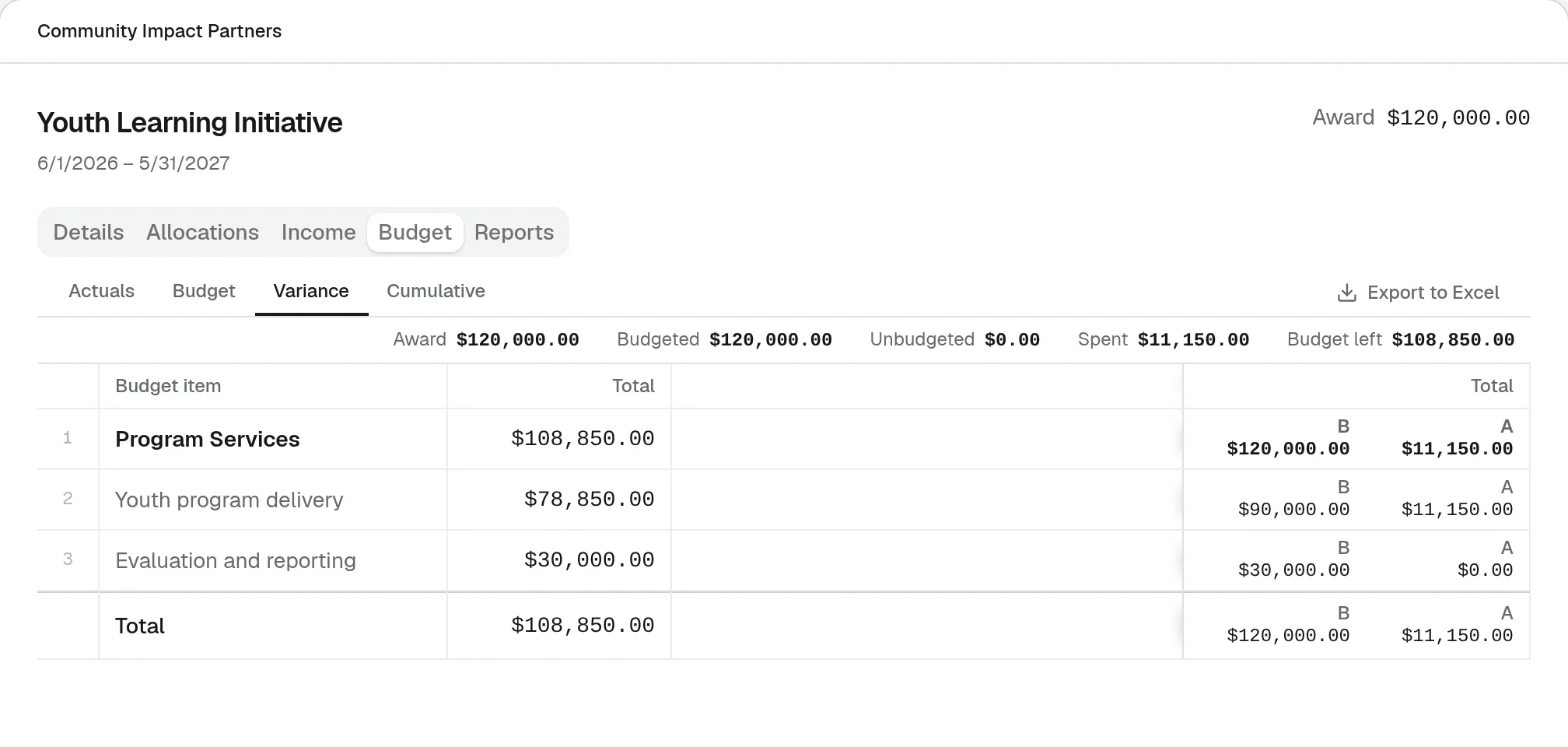
Review each grant against its approved budget
Compare budget, actuals, and variance by budget line, see what is left, and export the grid to Excel when a funder needs it.
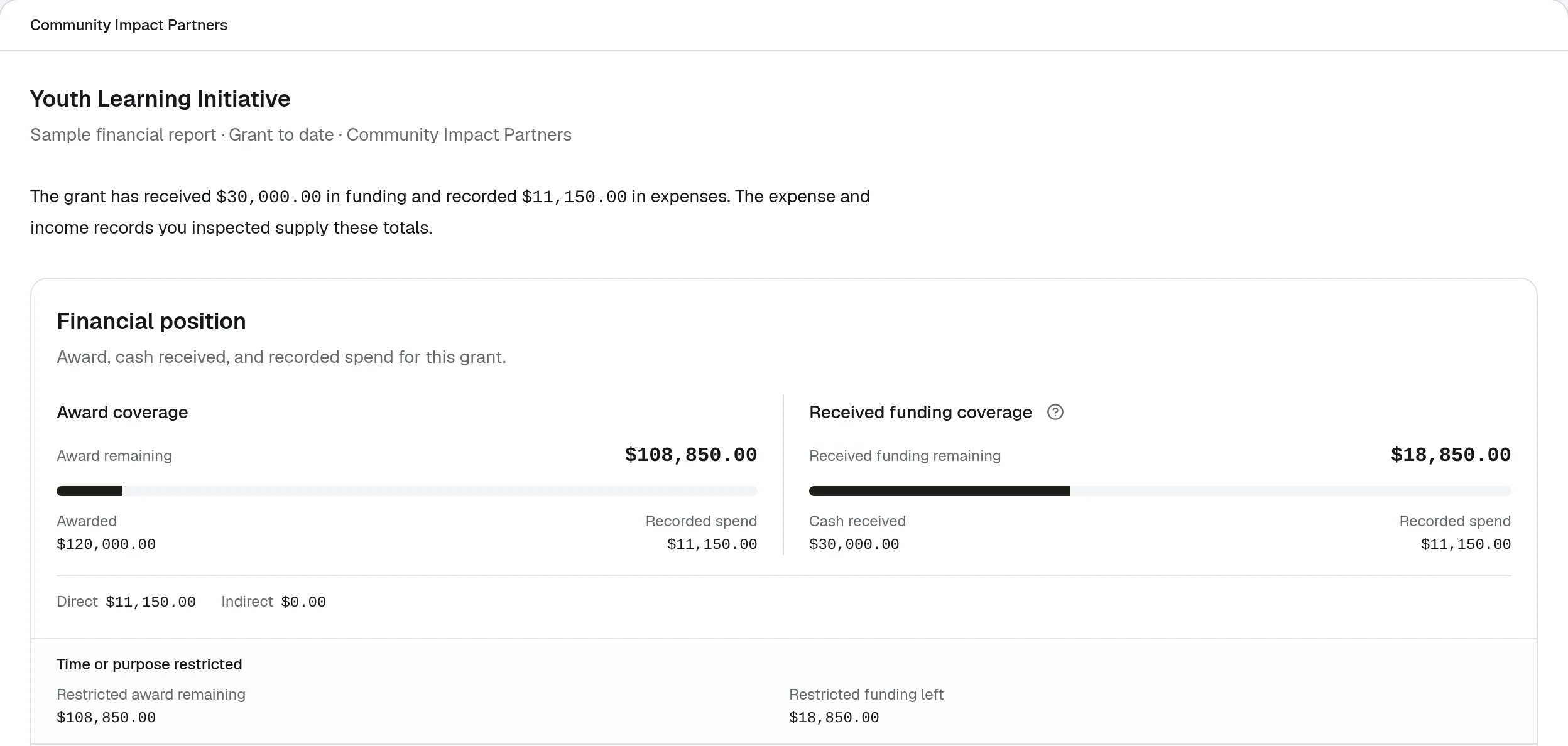
Carry reviewed data into the report
Grant reports start from the same reviewed records: award remaining, funding received, restricted balances, and budget versus actual.
Know exactly what connects
The useful boundary is explicit: GrantLink reads supported QuickBooks structures and activity, then adds grant-specific review and reporting context.
- Grant links
- Supported QuickBooks classes, customers and nested customers, projects, or locations and departments
- Budget actuals
- Supported QuickBooks accounts mapped to grant budget categories, using data from the latest successful sync
- Accounting treatment
- QuickBooks remains the source ledger; GrantLink allocations stay connected to the source transaction and do not rewrite it in read-only mode
One workflow, with clear ownership
QuickBooks owns the books. GrantLink organizes the grant-specific work around them.
Deciding whether to keep QuickBooks or replace it? Compare grant accounting software for QuickBooks before choosing your next system.
- 1
Connect without replacing your books
Authorize GrantLink through Intuit OAuth. QuickBooks remains the accounting source of truth while GrantLink syncs the structure and transactions your grant workflow needs.
- 2
Map grants to the structure you use
Connect each grant to supported classes, customers and nested customers, projects, or locations and departments. Map budget categories to supported accounts where needed.
- 3
Review before reporting
Finance staff review transactions, allocations, balances, and exceptions before using the same reviewed data for close and funder reports.
Safe by default, configurable by your organization
GrantLink does not become the system of record, and AI never approves or writes accounting data.
Read-only by default
The standard connection reads synced QuickBooks data for grant operations and reporting.
Write access is deliberate
Organizations may grant permissions for specific supported writebacks. Broader write access is only available when explicitly enabled.
Human review stays in the workflow
Your team reviews source transactions, allocation decisions, and report drafts before accounting actions or publication.
Use the trial to verify one real grant
A representative workflow is more useful than a generic feature checklist. Confirm the source data, review path, and output your team will actually use.
- 1Connect the QuickBooks Online company you already use through Intuit OAuth
- 2Configure one representative grant and its supported QuickBooks links
- 3Review imported activity, budget actuals, allocation exceptions, and a reporting output
Go deeper only where you need to
The decision guide stays short. Detailed QuickBooks setup guidance remains available in the knowledge base.
Browse all guides