Close the books, export from QBO, recategorize, rebuild the funder workbook, send the PDF, then watch one backdated transaction undo three months of allocations. The grant work GrantLink takes off your plate goes deeper than the spreadsheet.
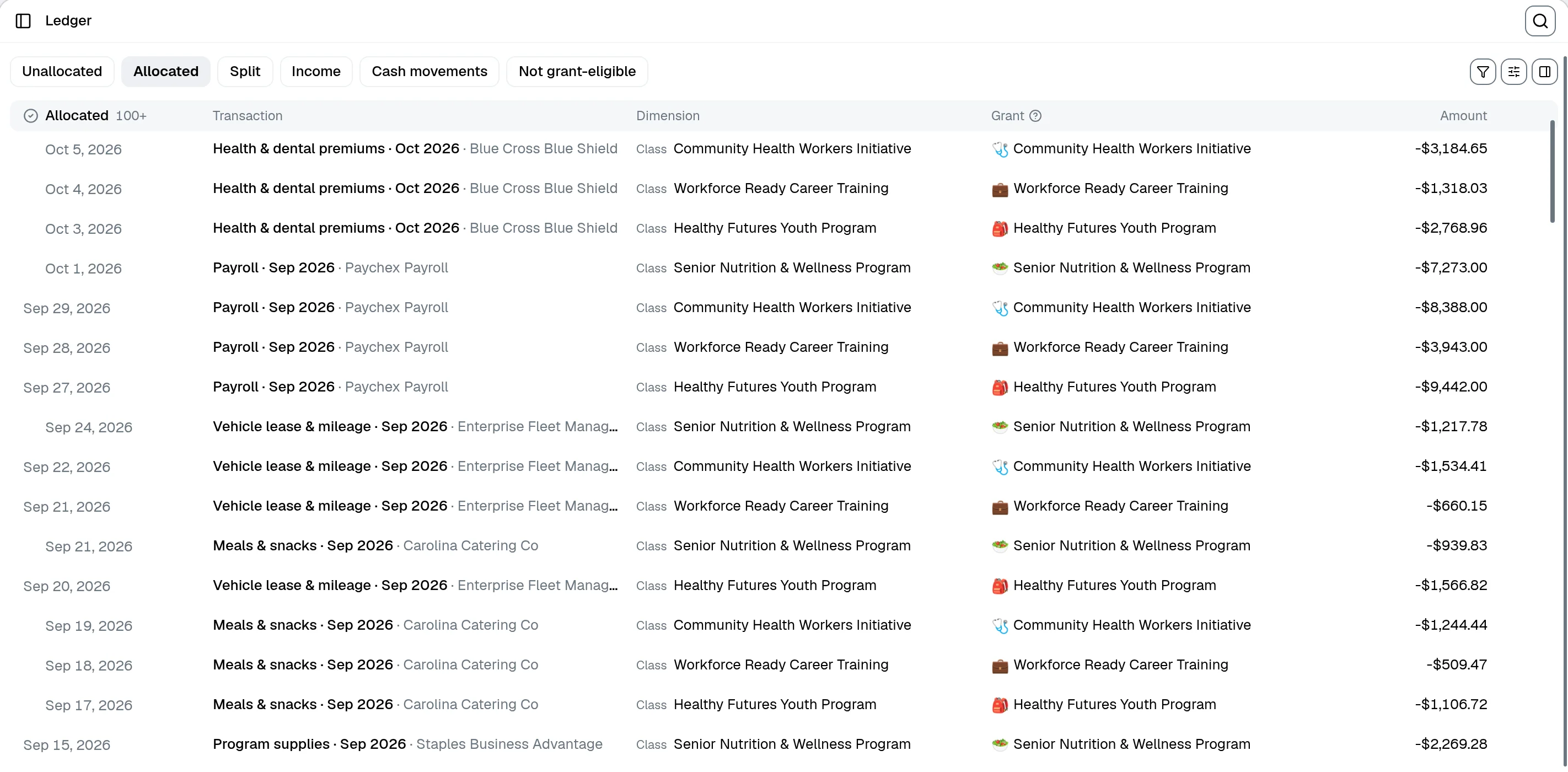
Set rules once and recurring QBO transactions classify themselves to the right grant, budget line, and program. Even a single bill split across three grants.
Tag each grant as unrestricted, temporarily restricted, or permanently restricted. The restriction follows the money through allocations, reports, and exports.
Log every draw against the award amount and let GrantLink match QBO deposits back to grants. You always know what's been received and what's still out.
Connect QuickBooks, map your tracking pattern once, and watch grant budgets and funder reports populate from data you've already booked.
Every nonprofit tracks grants a little differently. We support the patterns accountants actually use in QBO: Customers, sub-customers, Projects, Classes, Locations, transaction custom fields. A single grant can span more than one of these when it has to.
Parent customer is the funder. Each sub-customer is a grant.
Projects under customers, with start and end dates pulled into the grant.
A grant can span several subclasses across different parent classes when it has to.
If you use QBO Locations to mark restricted funds, GrantLink reads them straight from the transaction.
Pulls funder-specific budget category codes directly from QBO transaction custom fields.
Pick the pattern that matches your books. You can change it up until the first grant is created.
Upload the actual workbook your funder asks for, with its formatting, formulas, and cell layout intact. When the next report comes due (monthly, quarterly, whatever the grant requires) GrantLink drops grant data from QuickBooks into the right cells and hands you back a finished file.
Attach the actual template the funder wants. Formulas, formatting, and merged cells stay exactly where they are. We don't rebuild your workbook, we just fill it in.
GrantLink reads the template and matches each cell to live grant, budget, and transaction data from your synced QuickBooks file. You can spot-check the mapping and adjust anything that doesn't look right.
Regenerate the populated workbook each month with one click. Export Excel or PDF, send it to the funder, move on.
| Line | Budget | Spent | Variance |
|---|---|---|---|
| Personnel | — | — | =B-C |
| Supplies | — | — | =B-C |
| Travel | — | — | =B-C |
| Line | Budget | Spent | Variance |
|---|---|---|---|
| Personnel | $50,000 | $32,400 | $17,600 |
| Supplies | $24,000 | $18,750 | $5,250 |
| Travel | $8,000 | $3,120 | $4,880 |
Pace monitor compares expected spend against live QuickBooks allocations, then gives the accountant a concrete next action: catch up, slow down, review closeout risk, or finish setup before trusting the numbers.
Grant-level pace
See expected spend, actual spend, variance, and required monthly pace in one review surface.
Budget-line action focus
Pinpoint which line item needs catch-up, closeout review, or missing budget details.
Optional AI review
Ask for accountant-oriented gaps and questions without letting AI change the deterministic pace calculations.
Live from GrantLink
Pace monitor on a grant detail page

Each client's QuickBooks looks a little different. Some use Customers, some sub-customers, some Classes, plenty use a mix. GrantLink adapts to whatever each client is already doing, leaves QuickBooks as the system of record, and gives you reports you can resell as a service line.
Unlimited team members
No seat-based pricing. Bring the whole firm.
Per-client QBO mapping
Every client gets a tracking pattern mapped to its own books.
Resell as a premium service
Branded AI reports and dashboards your clients can pay you to deliver.
Flexible billing
Bill it to the firm or to the client. Switch any time.
Budgets, allocations, indirect costs, audit trails, and an AI assistant, all running on the same QuickBooks-synced data.

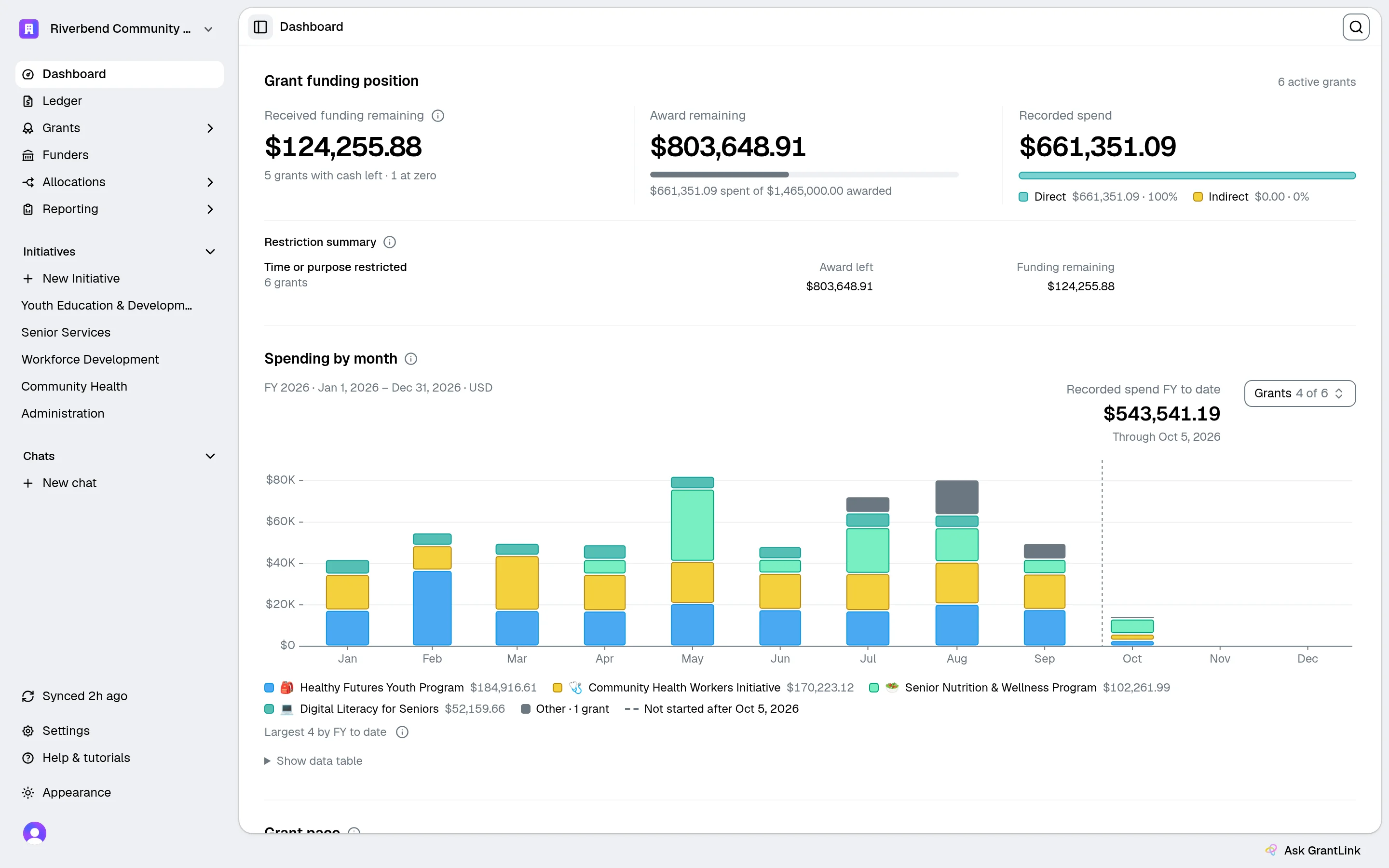
Grants, budgets, sync status, and action items in one place. Updates in real time as QuickBooks syncs.

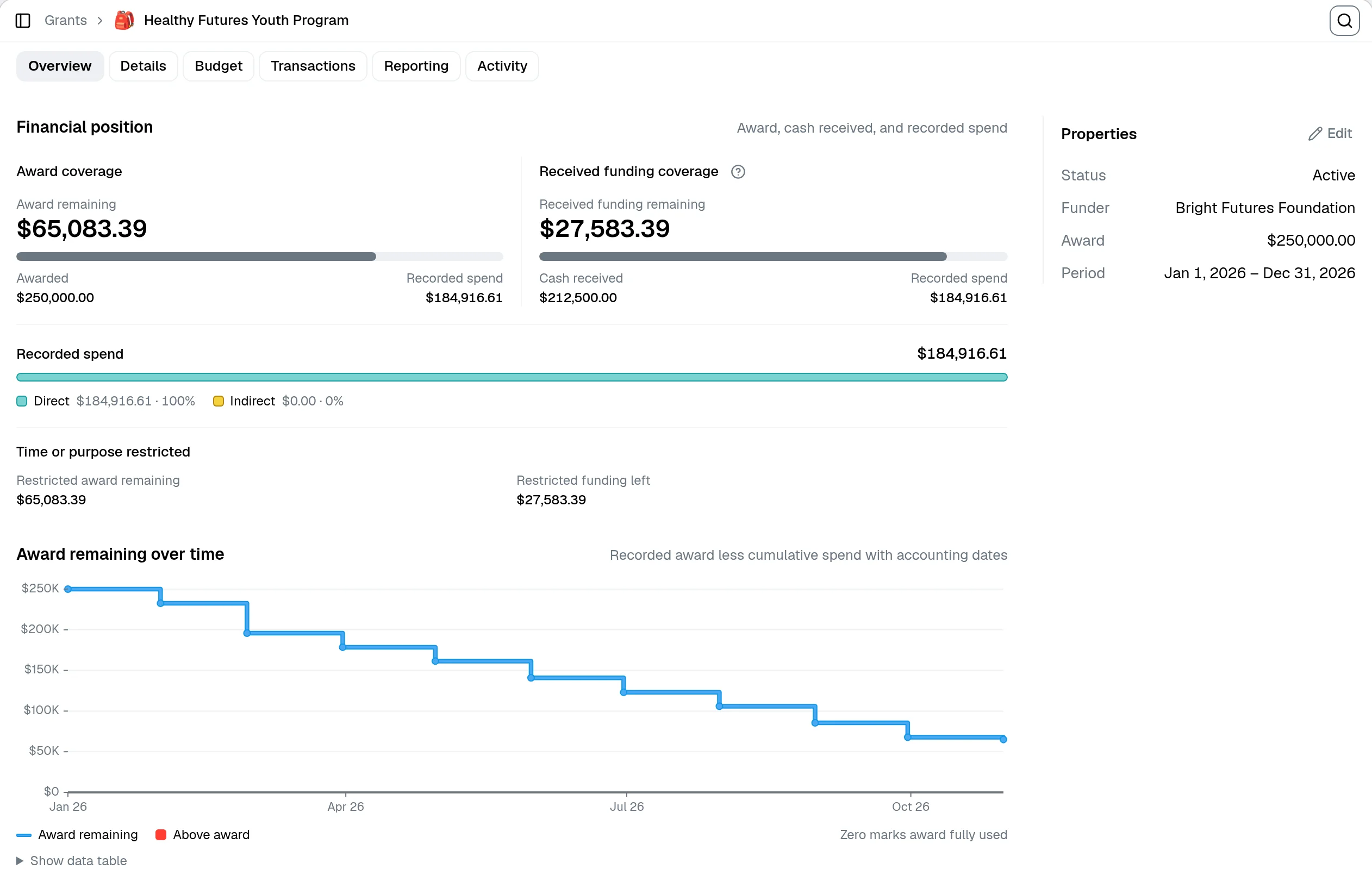
Budget burndown, milestones, allocations, indirect cost runs, fund receipts, audit trail. One screen per grant.
Ask about budgets, spending, or deadlines. Answers come straight from your synced QuickBooks data, not from guesswork.
Live spend against every grant and every budget line, pulled from QuickBooks transactions as they post.
Track every funder report due date in one place, with reminders before deadlines and a log of what's already been sent.
MTDC, TDC, or your own base. Run, preview, and post indirect cost calculations grant by grant.
Every allocation, edit, sync, and writeback is recorded with actor, timestamp, and before/after values.
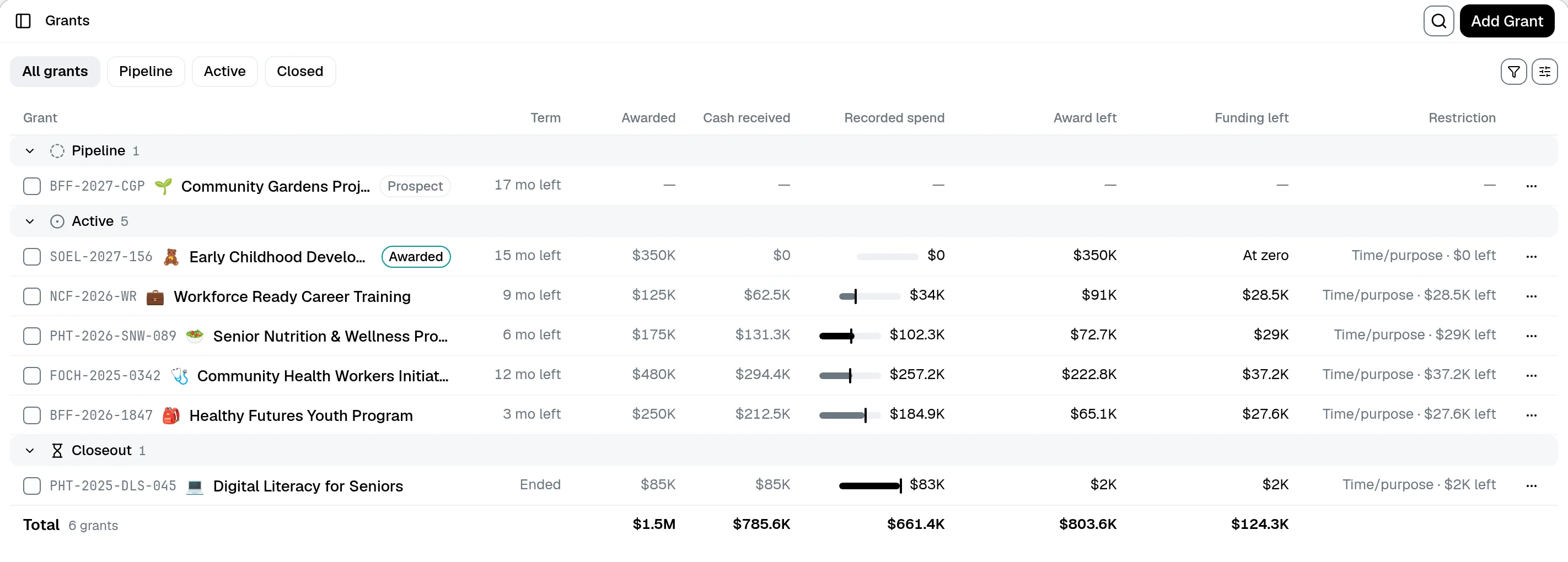
Prospect, applied, awarded, active, closeout, closed. Track applied-for grants alongside the ones already running.
Generate branded, password-protected funder and board reports from grant data your team has already reviewed. Mix the financials with impact docs you upload. The AI never writes back to QuickBooks, and it doesn't invent numbers.
Scoped to the right data
Grant, program, funder, or org-wide. You set the scope on every report.
Branded and shareable
Your logo, your colors. Share by link, lock with a password, or unpublish whenever you need to.
Impact narrative from your docs
Upload program PDFs and impact write-ups; the AI works them into the financial story.


Read-only by default. You decide what GrantLink is allowed to write back, if anything at all. Your accountant keeps doing the books in QuickBooks. Your team gets the grant tools.
Read-only mode
Import and report without GrantLink ever touching your books
Official Intuit OAuth
We never see your QuickBooks credentials
Encrypted tokens at rest
Revoke access any time from either side
Incremental sync
Only changed data gets pulled, so syncs stay fast
Start on the free plan. Upgrade once you're actually running grant reporting through it every month.
Working out how to run grants inside QuickBooks Online? The pillar guide is a good place to start. From there, the individual guides cover restricted funds, classes versus customers, fund accounting, and audit prep.
See how nonprofits structure QuickBooks Online, where grant tracking breaks down, and how to keep QuickBooks as your source of truth without living in spreadsheets.
Set up chart of accounts, classes, departments, and grant tracking foundations in QuickBooks Online.
Understand the workarounds nonprofits use in QBO and where they start to create reporting risk.
Choose the right QuickBooks structure for grants, programs, and funder reporting before you lock in bad habits.
Book a 20-minute walkthrough on your own QuickBooks file, or start the free trial and connect in read-only mode.